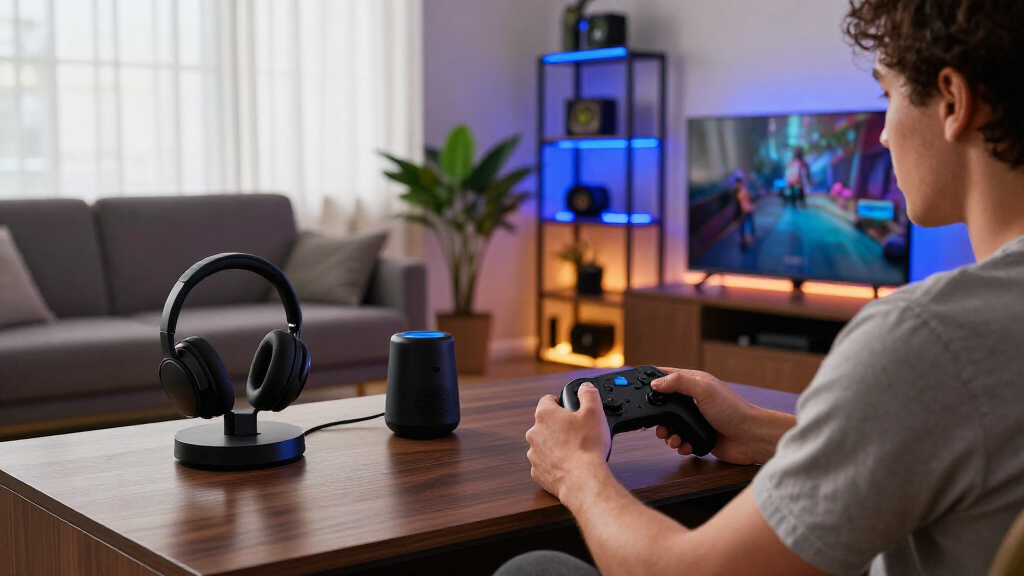

Choosing smart home gaming accessories is less about adding the most glowing hardware and more about deciding how much coordination you want. A unified gaming ecosystem groups compatible lights, controllers, and software around a shared experience; a flexible smart home setup combines devices from different brands, often using a smart home platform to connect them. The ecosystem usually makes synchronized effects easier to manage, while the flexible route can offer broader device choice and better use of equipment you already own. Pick the first if gaming ambience and simple coordination matter most; pick the second if compatibility, gradual upgrades, and household uses matter more.

Get sports gear delivered free with Prime
- Fast, free delivery on millions of items
- Prime Video, Amazon Music and more included
- Member-only deals all year

Govee RGBIC Gaming Light Bars H6047 with Smart Controller, Wi-Fi Smart LED
- ✔ Light type: RGBIC LED
- ✔ Power: Corded electric
- ✔ Wattage: 3 watts

Govee Smart Light Bar RGBICWW TV Lights for Living Room and Gaming – Black
- ✔ Light type: RGBICWW LED
- ✔ Power: Corded electric, 12 V DC
- ✔ Wattage: 18 watts

Govee Glide Wall Lights, Smart Gaming Light Bar, Compatible with Alexa
- ✔ Light type: RGBIC LED
- ✔ Power: Corded electric, 24 volts
- ✔ Wattage: 36 watts
At a Glance
| Criteria | Unified gaming ecosystem | Flexible smart home setup | Winner |
|---|---|---|---|
| Setup and control | Typically streamlined within supported products and software | May require pairing devices across apps or a smart home platform | A |
| Lighting coordination | Designed for coordinated effects across compatible accessories | Can coordinate devices across brands, though setup may take more work | A |
| Compatibility and choice | More limited to supported brands, products, or integrations | Broad choice, subject to platform support and device compatibility | B |
| Gaming responsiveness | Can offer direct game integrations, but support varies by title and platform | Depends on the devices and integration; some effects may lag or lack game awareness | Depends |
| Everyday smart home use | Gaming features take priority; general home functions depend on the products | Often stronger for routines and shared household lighting or controls | B |
| Cost and upgrade flexibility | Higher commitment to one ecosystem; adding matching accessories can raise the total | Start small, reuse existing devices, and choose upgrades individually | B |
Govee RGBIC Gaming Light Bars H6047 with Smart Controller, Wi-Fi Smart LED
For a gaming desk, the H6047 makes the most direct case in this group. Its smart desktop dial gives us a physical way to adjust lighting without reaching for a phone, while app and voice controls cover more hands-off changes. Support for Razer Synapse 3 can also tie the bars into compatible gaming setups, a more specific gaming feature than the TV-oriented RGBICWW pick emphasizes.The RGBIC effects can show multiple colors at once, and the product offers music sync, AI-generated effects, and more than 60 scene modes. That range makes it easier to shift from a restrained desktop glow to more active effects. Compared with the Glide Wall Lights, the H6047 is the more desk-centered, immediately adjustable option; the Glide instead makes a larger visual statement on a wall.There are limits. The bars are corded and not water resistant, so placement should stay indoors near a power outlet and away from moisture. Its listed wattage is 3 watts, but a low-power light still adds another cable to an already crowded setup. Choose this model if its gaming integrations and dial matter to you; skip it if your priority is tunable white light for a shared TV space or lighting mounted across a wall.
Pros:
- Desktop dial offers quick physical adjustments alongside app and voice control.
- Razer Synapse 3 integration makes it the most explicitly gaming-linked option in this lineup.
- RGBIC effects, music sync, and more than 60 scene modes provide varied lighting choices.
- Wi-Fi and Bluetooth connectivity support flexible control.
Cons:
- Corded power limits placement to locations near an outlet.
- Not water resistant, so it needs a dry indoor location.
- Its gaming-desk focus may be less useful for buyers seeking TV-oriented tunable white lighting.
Best for: PC and console gamers who want quick physical control at a desk, with app, voice, and compatible Razer Synapse 3 options.
Not ideal for: Buyers who need battery operation, moisture resistance, tunable white light, or a wall-mounted feature installation.
Bottom line: We rank the H6047 first for gaming desks because its physical dial and Razer integration make its controls more purpose-built than the other two picks.
“We rank the H6047 first for gaming desks because its physical dial and Razer integration make its controls more purpose-built than the other two picks.”
Govee Smart Light Bar RGBICWW TV Lights for Living Room and Gaming – Black
The RGBICWW TV Light Bar is the lineup’s most adaptable choice when gaming shares a room with movies or everyday viewing. Its tunable warm-to-cool white light gives it a useful range beyond the colored effects emphasized by the H6047 and Glide. RGBICWW combines that white-light flexibility with vivid RGB color, so we can move from ambient color to a softer viewing atmosphere without switching to another product.Placement is flexible for a light bar: it can sit flat, stand vertically, or mount behind a TV with the included brackets. It also syncs with music through a built-in microphone and supports voice control through Alexa, Google Home, and Matter. Compared with the H6047, it gives up the desktop dial and Razer Synapse 3 integration in exchange for a stronger TV and smart-home role. Against the Glide, it is easier to place around a screen than to turn an entire wall into a lighting feature.The main fit constraint is size: the product is recommended for monitors under 45 inches, which may not work as well with a large screen. Its corded power and 1.8-pound build also call for a stable surface or suitable mounting spot. We would choose it for mixed viewing and gaming; buyers seeking game-specific desktop controls should consider the H6047 instead.
Pros:
- RGBICWW combines tunable white light with vivid RGB colors for mixed-use rooms.
- Can sit flat, stand vertically, or mount behind a TV using included brackets.
- Built-in microphone enables music sync without additional hardware.
- Matter-supported voice control works with Alexa, Google Home, and compatible smart hubs.
Cons:
- The recommended screen size under 45 inches may limit use with larger TVs or monitors.
- Corded power requires a nearby outlet.
- It lacks the H6047’s smart desktop dial and Razer Synapse 3 integration.
Best for: People who game and watch movies on a smaller TV or monitor and want both colored effects and adjustable white light.
Not ideal for: Owners of larger screens who need broad coverage, or desk gamers who specifically want a controller dial and Razer Synapse integration.
Bottom line: We recommend the RGBICWW bar for smaller-screen rooms where adjustable white light and broad smart-home voice support matter as much as gaming color.
“We recommend the RGBICWW bar for smaller-screen rooms where adjustable white light and broad smart-home voice support matter as much as gaming color.”
Govee Glide Wall Lights, Smart Gaming Light Bar, Compatible with Alexa
Choose the Glide Wall Lights when we want lighting to become a visible part of the room rather than sit beside a screen. Their wall-mounted RGBIC bars offer a larger décor presence than the H6047’s desktop-focused setup or the TV Light Bar’s screen-side placement. The product lists more than 64 scene presets, AI-driven effects, and 11 music sync modes, giving us several ways to change the atmosphere for gaming or a social space.Voice control through Alexa and Google Assistant, plus Govee Home app control, makes the Glide straightforward to manage once installed. Its AI Lighting Bot 2.0 can create effects from voice or text prompts, while the RGBIC system can display multiple colors simultaneously. Compared with the RGBICWW TV bar, the Glide leans toward colorful wall décor instead of adjustable white light; compared with the H6047, it offers a more room-facing display but less emphasis on quick desk adjustments.Installation is the compromise. The rigid bars do not bend around curved surfaces, and the included Velcro and adhesive strips need a smooth, secure wall. All bars must be connected before plugging in power, which adds a setup step. We would skip this pick for uneven walls, frequent rearranging, or a desk with little wall space. It is the best match here for buyers who can commit to a suitable mounting location and want lighting that reads as part of the room décor.
Pros:
- Wall mounting creates a larger décor effect than the two screen- or desk-oriented picks.
- More than 64 scene presets and 11 music sync modes support varied ambience.
- AI Lighting Bot 2.0 can generate effects through voice or text prompts.
- App, Alexa, and Google Assistant controls offer several ways to manage lighting.
Cons:
- Rigid bars cannot conform to curved surfaces.
- Adhesive mounting needs a smooth surface and may be unreliable on uneven walls.
- The bars must be connected before power is plugged in, adding setup complexity.
Best for: Gamers decorating a room with a smooth, available wall who want preset scenes, voice control, and a prominent lighting display.
Not ideal for: Renters or room owners with uneven walls, curved mounting areas, or a need to reposition lighting often.
Bottom line: We place the Glide third because its wall display is distinctive, but surface requirements and rigid bars make it less flexible than the desk and TV picks.
“We place the Glide third because its wall display is distinctive, but surface requirements and rigid bars make it less flexible than the desk and TV picks.”
As an Amazon Associate we earn from qualifying purchases.
Key Differences
The biggest practical difference is how coordination happens. With a unified gaming ecosystem, compatible accessories are intended to work together through a central app or software layer. That can make it easier to match room lighting with supported games or peripherals. The advantage is convenience and a more consistent gaming setup; the cost is dependence on the ecosystem’s supported hardware and integrations. Effects may still vary by game, platform, and device.
A flexible smart home setup puts device choice first. You can build around existing bulbs, plugs, or voice assistant routines, then add gaming related accessories where supported. That approach suits shared rooms and gradual upgrades, but matching brands does not guarantee smooth coordination: platform support, setup steps, and response times differ. If game reactive lighting is the main goal, a unified system is the safer bet. If the accessories need to serve the whole home, flexibility often matters more.
Detailed Comparison
Setup and control (Unified gaming ecosystem wins — moderate)
Winner: A, by a moderate gap. A unified ecosystem generally centralizes compatible accessories, so there are fewer places to adjust scenes and effects. The flexible setup can be simple when devices already share a platform, but mixing brands may mean extra apps or troubleshooting. Choose A for a gaming corner you want to manage as one system; choose B if you are comfortable setting up devices individually.
Lighting coordination (Unified gaming ecosystem wins — moderate)
Winner: A, by a moderate gap. Gaming focused ecosystems are built to coordinate supported lights and peripherals, and some connect effects to game events. A flexible setup can still create synchronized scenes, but those effects may be limited to scheduled colors or platform routines. The difference is most noticeable if lighting that reacts during play is a priority; for static ambient lighting, it may be minor.
Compatibility and choice (Flexible smart home setup wins — major)
Winner: B, by a major gap. A flexible setup lets you select from more brands and reuse devices, provided they support the same platform or integration. A unified ecosystem narrows the field to its compatible products. That constraint can make shopping and setup more predictable, but it can also rule out a preferred accessory. Check support for your console, computer, and smart home platform before buying either route.
Gaming responsiveness (moderate difference)
Winner: Depends; the gap is product specific. A gaming ecosystem may offer direct integration with supported titles or hardware, which can make effects feel more connected to play. Flexible setups can respond well through a supported integration, but generic routines may update less directly. Neither label guarantees low latency: support depends on the exact accessory, game, platform, and connection. For competitive play, treat lighting as ambience and confirm that controls do not interfere with gameplay.
Everyday smart home use (Flexible smart home setup wins — moderate)
Winner: B, by a moderate gap. Flexible devices are often selected to cover several rooms and routines, such as scheduled lighting or voice control, rather than gaming alone. A gaming ecosystem can serve everyday needs if its products include those features, but its strengths may be concentrated around the gaming setup. B is a better fit when other household members will use the same devices.
Cost and upgrade flexibility (Flexible smart home setup wins — moderate)
Winner: B, by a moderate gap. With a flexible setup, you can begin with one useful device, keep compatible equipment you own, and replace items separately. A unified ecosystem can deliver a coherent result, but matching accessories may make expansion more expensive or limit alternatives. Paying more for A makes sense when coordinated gaming effects are valuable enough to use regularly; otherwise, build gradually with B.
Unified gaming ecosystem: Pros and Cons
Pros:
- Centralized control for compatible gaming accessories
- A more direct path to coordinated, game related lighting effects where supported
- A consistent look and experience across the gaming area
Cons:
- Choice is limited by the ecosystem’s compatibility and integrations
- Adding matching products can increase the total cost
- Support varies by game, device, and gaming platform
Flexible smart home setup: Pros and Cons
Pros:
- More choice across brands and product types
- Easier to reuse compatible smart home devices and expand gradually
- Can serve household routines beyond gaming
Cons:
- Mixed devices can require multiple apps or extra setup
- Game reactive effects may be less direct or unavailable
- Compatibility and response depend on each product and platform
Who Should Choose What
Choose Unified gaming ecosystem if:
- You want coordinated lighting and controls around a dedicated gaming area.
- You are willing to buy compatible accessories for easier centralized management.
- Supported game or peripheral integrations matter more to you than broad brand choice.
Choose Flexible smart home setup if:
- You already own smart home devices you want to reuse.
- The same accessories should support everyday household lighting and routines.
- You prefer to upgrade one device at a time and choose products across brands.
Skip both if: Skip both approaches if smart lighting and automation add little to your gaming experience; spend on gaming hardware or comfort improvements that address a clearer need.
Value for Money
The flexible setup is usually the stronger value for people who already own compatible smart home devices or want to add accessories gradually. You pay for individual functions and can stop when the setup does enough. A unified ecosystem can justify a higher outlay when central control and coordinated, supported gaming effects are the point of the purchase. Paying extra for matching hardware is hard to defend if you mainly want a static color behind the monitor or rarely use the effects. Compare the cost of the complete setup you actually want, including any bridge or hub required, rather than judging one accessory in isolation.
Final Verdict
For most households, start with a flexible smart home setup: it offers more choice, can reuse existing devices, and remains useful outside gaming. Choose a unified gaming ecosystem if a dedicated gaming space and coordinated effects are central to the experience, and its specific products support your games and platform. The deciding factor is whether you value easy, gaming focused coordination enough to accept narrower choice and potentially higher expansion costs. If not, build flexibly and add only the accessories that solve a real problem.
Frequently Asked Questions
Which approach is easier to set up?
A unified ecosystem is often easier when all selected accessories are supported by its software. A flexible setup can be just as straightforward if devices already share a platform, but mixed brands may add setup steps. Check compatibility before purchasing.
Can a flexible smart home setup sync lights with games?
Sometimes. Game aware lighting depends on the specific device, integration, game, and platform. A routine that changes color on a schedule is different from effects tied to events in a game, so confirm the feature you want is supported.
Is a gaming ecosystem worth paying more for?
It can be if you will regularly use coordinated effects and centralized control in a dedicated gaming space. If you want general room lighting, reuse existing devices, or prefer gradual upgrades, the flexible route is usually better value.
What should I check before buying smart home gaming accessories?
Confirm support for your console or computer, the games you play, your smart home platform, and any required hub or bridge. Also check whether accessories work together in one app and whether the features you want are available in your region.