The best electric golf launch monitor for most golfers is the Garmin Approach R10, which balances portable practice feedback with simulator features. For a more complete indoor setup, the SkyTrak ST MAX stands out for camera-based tracking, while the PRGR HS 130-A is a simpler choice for golfers focused on swing speed and distance. The main tradeoffs are measurement detail, setup space, app or subscription needs, and whether you want a range tool or a full simulator. Portable radar models are easier to move, while camera-led systems often suit dedicated indoor bays better. Read on for the full breakdown of all 15 options and how I’d match them to different practice goals.

Get sports gear delivered free with Prime
- Fast, free delivery on millions of items
- Prime Video, Amazon Music and more included
- Member-only deals all year
Complete the kit


Key Takeaways
- The Garmin Approach R10 is the strongest all-around portable pick in this lineup because it combines practice feedback with simulator use without requiring a dedicated room installation.
- SkyTrak’s ST MAX and previous-generation SkyTrak+ are aimed at more committed indoor practice; their camera and simulator focus makes them a different proposition from basic range-oriented devices.
- The Bushnell Launch Pro and Garmin Approach R50 sit toward the premium, setup-focused end, appealing to golfers who prioritize detailed indoor practice and simulation over small size.
- The PRGR HS 130-A and Shot Scope LM1 favor straightforward feedback, while options such as the Rapsodo MLM2PRO and Voice Caddie SC4 Pro provide a wider bridge between practice and simulator play.
- The two Rapsodo MLM2PRO listings are close variants, not separate categories; check the included ball bundle and package contents before choosing between them.
| Rapsodo Mobile Launch Monitor for iPhone and iPad |  | Best for Video-Based Practice | Model: MLM01 | Compatibility: iPhone and iPad; iOS only | Measurements: Ball speed, club speed, launch angle, carry distance, and shot shape | VIEW LATEST PRICE | See Our Full Breakdown |
| Voice Caddie SC4 Pro Golf Launch Monitor and 3D Driving Range Simulator |  | Best for Screen-Based Simulator Practice | Model: SC4 Pro | Use: Indoor and outdoor | Training modes: 3D Simulator, Practice/Target Mode, and Speed Training/Swing Speed Mode | VIEW LATEST PRICE | See Our Full Breakdown |
| TheStack Radar Portable Golf Launch Monitor |  | Best for Speed Training | Model: Stack Radar | Measurements: Swing speed, ball speed, estimated carry distance, and smash factor | Connectivity: Bluetooth | VIEW LATEST PRICE | See Our Full Breakdown |
| Garmin Approach R10 Portable Golf Launch Monitor |  | Best All-Around Portable Practice Pick | Model: 010-02356-00 | Water resistance: IPX7 | Battery life: Up to 10 hours | VIEW LATEST PRICE | See Our Full Breakdown |
| Swinora GX-03 Golf Launch Monitor and Swing Analyzer |  | Best for On-Device Readability | Model: GX-03 | Display: OLED | Tracked metrics: Attack angle, launch angle, spin rate, ball speed, club speed, and carry distance | VIEW LATEST PRICE | See Our Full Breakdown |
| SkyTrak ST MAX Golf Launch Monitor with 1-Year Software Included |  | Best for Detailed Indoor Improvement | Weight: 5 pounds | Package dimensions: 13.43 x 11.57 x 5.55 inches | Battery: 1 lithium-polymer battery included | VIEW LATEST PRICE | See Our Full Breakdown |
| PRGR HS 130-A Portable Golf Launch Monitor |  | Best for Simple Speed Training | Model: HS-130A | Tracking technology: Doppler radar | Measurements: Club head speed, ball speed, smash factor, estimated carry and total distance | VIEW LATEST PRICE | See Our Full Breakdown |
| Shot Scope LM1 Launch Monitor |  | Best for Subscription-Free Session Tracking | Tracked measurements: Club speed, ball speed, smash factor, carry and total distance | Session types: On-course, practice range, and speed training | Battery life: More than 5 hours | VIEW LATEST PRICE | See Our Full Breakdown |
| Bushnell Golf Launch Pro Circle B Edition Launch Monitor |  | Best for Camera-Based Impact Data | Model: 502600 | Measurement system: Three-camera infrared imaging | Ball data: Carry distance, launch, and spin | VIEW LATEST PRICE | See Our Full Breakdown |
| Rapsodo MLM2PRO Mobile Golf Launch Monitor and Simulator with 3 Chrome Tour Balls |  | Best for Mobile Simulator Practice | Tracking technology: Doppler radar and dual cameras | Metrics: Up to 15 | Tracked data: Spin, distance, speed, and launch angle | VIEW LATEST PRICE | See Our Full Breakdown |
| Rapsodo MLM2PRO Mobile Launch Monitor Golf Simulator with 3 Premium RPT Balls |  | Best for Detailed Mobile Practice | Shot tracking technology: Doppler radar and dual cameras | Tracked metrics: 15 | Simulated courses: More than 30,000 | VIEW LATEST PRICE | See Our Full Breakdown |
| SkyTrak+ Launch Monitor and Golf Simulator (Previous Generation) – Dual Doppler Radar, Enhanced Camera, 100K+ Courses, Real-time Simulation, Wi‑Fi, USB‑C |  | Best for Indoor Course Variety | Tracking technology: Dual Doppler radar and enhanced photometric camera | Course library: More than 100,000 courses | Simulation integration: WGT by TopGolf | VIEW LATEST PRICE | See Our Full Breakdown |
| Voice Caddie SC200Plus Portable Golf Launch Monitor and Swing Analyzer |  | Best for Simple Range Feedback | Tracking technology: Doppler radar with atmospheric pressure sensors | Display: LCD | Training modes: Swing-speed mode and adjustable loft angles | VIEW LATEST PRICE | See Our Full Breakdown |
| Blue Tees Golf Rainmaker Portable Golf Launch Monitor, Indoor & Outdoor Golf Simulator, Doppler Radar, 21+ Ball & Club Metrics, E6 & GSPro Compatible, 4.3″ Color Display |  | Best for Standalone Indoor-Outdoor Practice | Tracking technology: Doppler radar | On-device metrics: 9 real-time metrics | App metrics: More than 21 | VIEW LATEST PRICE | See Our Full Breakdown |
| Garmin Approach R50 Golf Launch Monitor and Simulator |  | Best Premium All-in-One Display | Camera system: 3 cameras | Display: 10-inch color LCD touchscreen | Resolution: 800 x 1280 | VIEW LATEST PRICE | See Our Full Breakdown |
More Details on Our Top Picks
Rapsodo Mobile Launch Monitor for iPhone and iPad
The Rapsodo pairs radar measurements with phone video, making it a strong choice for golfers who want to connect shot results with a visual swing replay. It records ball and club speed, launch angle, carry distance, and shot shape, then adds a GPS shot map and shot tracer to help spot patterns across a practice session. Compared with the Garmin Approach R10, this model puts more emphasis on camera-based feedback, while the Garmin lists longer battery life and water resistance. The tradeoff is device dependence: it works with iPhone and iPad only, and simulator courses and some game modes require a premium subscription. I’d choose it for range or net practice when video review matters more than platform flexibility.
Pros:- Combines radar measurements with video replay and shot tracer.
- Tracks ball speed, club speed, launch angle, carry distance, and shot shape.
- GPS shot mapping helps reveal dispersion patterns over time.
- Portable for range, backyard, and indoor-net practice.
Cons:- Compatible only with iPhone and iPad running iOS.
- Simulator courses and some game modes require a premium subscription.
- Relies on a compatible phone or tablet for its camera and app features.
Best for: iPhone or iPad golfers who want shot-tracing video and GPS dispersion maps alongside core launch data.
Not ideal for: Android users or golfers who want simulator courses and game modes without a separate premium subscription.
- Model:MLM01
- Compatibility:iPhone and iPad; iOS only
- Measurements:Ball speed, club speed, launch angle, carry distance, and shot shape
- Tracking:Radar tracking with GPS satellite view
- Features:Video replay, shot tracer, simulator courses, and game modes
- Weight:14.1 ounces
- Dimensions:6.85 x 7.72 x 2.28 inches
- Warranty:1-year limited warranty
Our verdict“Choose the Rapsodo if you use iOS and want visual shot feedback, but pick the Garmin Approach R10 if water resistance and longer stated battery life matter more.”
Voice Caddie SC4 Pro Golf Launch Monitor and 3D Driving Range Simulator
The SC4 Pro suits golfers who want a standalone screen and simulator modes rather than relying on a phone for every session. Its built-in display and remote support quick practice, while the companion VOICECADDIE S app adds swing analysis and training modes. It also works indoors and outdoors with standard golf balls, which keeps practice setup less dependent on special ball types. Compared with the Rapsodo Mobile Launch Monitor, the SC4 Pro offers a built-in screen and E6 Connect access, while the Rapsodo emphasizes phone video, shot tracer, and GPS mapping. The SC4 Pro’s tradeoff is that deeper analysis depends on the app, and simulator access depends on the included software and available courses. I’d pick it for golfers who value a self-contained practice setup over camera-led swing review.
Pros:- Built-in screen and remote allow practice without using a phone as the primary display.
- Works indoors and outdoors with standard golf balls.
- Includes a 3D driving range and E6 Connect simulator access.
- Offers practice, target, and swing-speed training modes.
Cons:- Advanced statistical analysis and additional features require the companion app.
- Simulator access depends on included software and course availability.
- The product data does not specify the tracked metrics or measurement accuracy.
Best for: Golfers building an indoor or outdoor practice station who want a built-in display, remote, and simulator access with standard golf balls.
Not ideal for: Buyers seeking detailed phone-video swing review or a simulator setup with clearly independent access to a broad course library.
- Model:SC4 Pro
- Use:Indoor and outdoor
- Training modes:3D Simulator, Practice/Target Mode, and Speed Training/Swing Speed Mode
- Included components:SC4 Pro, remote, USB cable, and user manual
- Weight:590 g
- Dimensions:1.92 x 7.59 x 1.14 inches
- Hand orientation:Ambidextrous
- Warranty:1 year
Our verdict“Choose the SC4 Pro for a screen-led practice and simulator setup; choose the Rapsodo Mobile Launch Monitor instead if video replay and GPS shot mapping matter more.”
TheStack Radar Portable Golf Launch Monitor
TheStack Radar is the most focused pick here: it measures swing speed and ball speed, then estimates carry distance and smash factor for speed training and wedge practice. Its small, light form and Bluetooth link make it suited to repeated training sessions rather than a full simulator setup. TheStack App adds guided practice, including putting sessions on iOS, while speed training supports both iOS and Android. Compared with the Garmin Approach R10, TheStack offers a narrower measurement set and lacks the R10’s listed shot-dispersion charts and broad practice metrics, but it centers its experience on speed-focused training. That focus is also the main limitation: wedge and putting features are iOS-only, and the wedging experience has a one-month free trial. I’d choose it when training structure and speed gains matter more than all-around shot analysis.
Pros:- Portable Doppler radar measures swing speed and ball speed.
- Estimates carry distance and smash factor.
- Bluetooth connects training data to TheStack App.
- App includes gamified wedge practice and guided putting sessions on iOS.
Cons:- Wedging and putting features are limited to iOS.
- The Stack Wedging experience includes a one-month free trial.
- Its listed measurements are narrower than the Garmin Approach R10’s broader metric set.
Best for: Golfers following a structured speed-training plan who want portable radar data and use iOS or Android for speed sessions.
Not ideal for: Golfers seeking broad launch data, shot-dispersion charts, or Android access to the wedging and putting features.
- Model:Stack Radar
- Measurements:Swing speed, ball speed, estimated carry distance, and smash factor
- Connectivity:Bluetooth
- Weight:0.12 kg
- Package dimensions:6.89 x 3.23 x 1.38 inches
- Speed training compatibility:iOS 15.0 or later; Android
- Wedging and putting compatibility:iOS only
Our verdict“Pick TheStack Radar for speed-centered training; choose the Garmin Approach R10 if you want a wider set of practice metrics and dispersion feedback.”
Garmin Approach R10 Portable Golf Launch Monitor
The Approach R10 earns its place as a versatile practice monitor with a broad set of swing and ball metrics, including club and ball speed, tempo, spin, and launch data. Paired with the Garmin Golf app, it adds club stats, shot-dispersion charts, and swing video clips, so golfers can work on both results and patterns. Its up to 10-hour battery life and IPX7 water resistance make it a flexible range companion compared with the iOS-only Rapsodo Mobile Launch Monitor. The tradeoffs are app dependence and a subscription requirement for virtual rounds on more than 42,000 courses. It also lists accuracy tolerances for selected metrics, rather than positioning itself as a standalone screen-based unit like the Voice Caddie SC4 Pro. I’d choose Garmin for broad practice data and portability, not for phone-free operation.
Pros:- Tracks a broad mix of club, ball, tempo, spin, and launch metrics.
- Garmin Golf app provides club stats, shot-dispersion charts, and swing video clips.
- Up to 10 hours of battery life supports extended practice sessions.
- IPX7 water resistance suits use in damp conditions.
Cons:- A compatible smartphone and Garmin Golf app are needed for tracking features.
- Virtual course play requires an active subscription.
- The display is listed at 0.9 inches, so it is not a replacement for a larger phone or tablet screen.
Best for: Range regulars and home-practice golfers who want a wide range of metrics, dispersion charts, and long stated battery life.
Not ideal for: Golfers who want a built-in display, do not use a compatible smartphone, or want virtual rounds without an active subscription.
- Model:010-02356-00
- Water resistance:IPX7
- Battery life:Up to 10 hours
- Club head speed accuracy:±3 mph
- Ball speed accuracy:±1 mph
- Launch angle accuracy:±1 degree
- Connectivity:Bluetooth
- Weight:340 g
Our verdict“Choose the R10 for broad portable practice feedback and weather resistance; choose the Voice Caddie SC4 Pro if a built-in screen and remote are higher priorities.”
Swinora GX-03 Golf Launch Monitor and Swing Analyzer
The GX-03 stands out for golfers who want an OLED display on the unit alongside app-based shot views and voice feedback. Its listed metrics include attack and launch angles, spin rate, ball and club speed, and carry distance; built-in environmental sensors adjust shot data to current conditions. The product data also gives a carry-distance tolerance of ±1 yard under recommended alignment, a useful reference for buyers comparing its distance output with the Rapsodo Mobile Launch Monitor or Garmin Approach R10. Space is the main constraint: indoor use calls for at least 15 feet, with the unit five feet behind the ball and ten feet of flight. It also omits horizontal club face angle and swing path. I’d favor it for golfers who want readable on-device data and Android support, provided their practice area meets the spacing requirement.
Pros:- OLED display provides an on-device way to read practice data.
- Tracks attack angle, launch angle, spin rate, ball speed, club speed, and carry distance.
- Environmental sensors adjust shot data to current conditions.
- App supports iOS and Android and offers trajectory views and voice feedback.
Cons:- Indoor use requires at least 15 feet of total space, including five feet behind the ball and ten feet of flight.
- Does not measure horizontal club face angle or swing path.
- Accurate tracking depends on correct alignment and club selection.
Best for: Indoor-net or range golfers who want an OLED readout, iOS or Android app support, and several ball-flight metrics.
Not ideal for: Golfers with compact indoor practice areas or those who need horizontal club-face angle and swing-path measurements.
- Model:GX-03
- Display:OLED
- Tracked metrics:Attack angle, launch angle, spin rate, ball speed, club speed, and carry distance
- Indoor space requirement:At least 15 ft total; device 5 ft behind the ball with 10 ft of ball flight
- Carry distance tolerance:±1 yard under recommended alignment
- Distance compensation:80%–120%, adjustable per club
- Connectivity:Bluetooth
- App compatibility:iOS and Android
- Warranty:1 year
Our verdict“Choose the GX-03 if you want an OLED readout and cross-platform app support, but choose the Rapsodo Mobile Launch Monitor for video replay or the Garmin Approach R10 for listed water resistance and longer battery life.”
SkyTrak ST MAX Golf Launch Monitor with 1-Year Software Included
The SkyTrak ST MAX suits golfers who want more than basic speed and distance readings: it records ball and club metrics such as spin, launch angle, club path, face angle, and face-to-path. That detail can help pinpoint why a shot curves or misses its target, while the included year of Core Foresight software and GOLFTEC speed drills give practice a defined structure. Compared with the portable PRGR HS-130A, this is a more analysis-focused setup, but it is heavier and less convenient for quick training anywhere. Dual USB-C ports allow charging while transferring data, and the modular interior is designed to support calibration stability. Its main compromise is a preference for indoor or well-lit conditions, so it is a less flexible choice for varied outdoor sessions.
Pros:- Tracks detailed ball and club metrics, including club path and face-to-path.
- Includes one year of Core Foresight software and GOLFTEC speed drills.
- Dual USB-C ports support simultaneous charging and data transfer.
- Modular interior is designed to support long-term calibration stability.
Cons:- Indoor or well-lit conditions may be needed for optimal accuracy.
- Its 5-pound weight makes it less convenient to carry than the PRGR HS-130A.
- The included lithium-polymer battery adds a component that may eventually need replacement.
Best for: Golfers building a home practice setup who want club-path and face data alongside guided training tools.
Not ideal for: Players seeking a simple, pocketable monitor for outdoor speed sessions or use in changing light.
- Weight:5 pounds
- Package dimensions:13.43 x 11.57 x 5.55 inches
- Battery:1 lithium-polymer battery included
- Charging and data:Dual USB-C ports
- Ball data:Carry and total distance, ball speed, spin, and launch angle
- Club data:Club head speed, smash factor, club path, face angle, and face-to-path
- Included software:1 year of Core Foresight software
Our verdict“Choose the ST MAX for detailed, software-supported practice at home; pick the PRGR HS-130A instead for lighter, simpler speed training on the go.”
PRGR HS 130-A Portable Golf Launch Monitor
The PRGR HS-130A is the straightforward pick for golfers who want speed feedback without setting up an app, Wi-Fi, or a simulator. Its Doppler radar measures club and ball speed, smash factor, and estimated carry and total distance; it can also record swings without a ball, which makes it useful for focused speed work. Compared with the Shot Scope LM1, it offers less connected session history, but its compact, AAA-powered design is easy to carry and use across sports. The monitor stores up to 500 swings, giving golfers a basic way to track sessions on the device itself. The tradeoff is limited analysis: there is no software integration, and its stated 135–270-yard measuring range may not cover every golfer’s full-distance shots.
Pros:- Measures club speed without a ball for swing-speed drills.
- Compact, battery-powered design works without Wi-Fi, Bluetooth, or an app.
- Stores up to 500 swings for basic on-device tracking.
- Can also track swing speed for baseball, tennis, soccer, and hockey.
Cons:- Does not provide app or software integration for deeper analysis.
- The stated measuring range is limited to 135–270 yards.
- AAA batteries need periodic replacement.
Best for: Golfers who want a compact, app-free monitor for swing-speed practice, including ball-free drills and occasional multisport tracking.
Not ideal for: Players who need detailed shot analysis, connected history, or reliable coverage beyond the stated 135–270-yard range.
- Model:HS-130A
- Tracking technology:Doppler radar
- Measurements:Club head speed, ball speed, smash factor, estimated carry and total distance
- Measuring range:135–270 yards
- Swing memory:Up to 500 swings
- Dimensions:3.03 x 1.69 x 5.63 inches
- Battery:Alkaline AAA batteries
- Water resistance:Water resistant
Our verdict“Pick the PRGR HS-130A for uncomplicated, portable speed practice, but choose the Shot Scope LM1 if app-based session history matters more.”
Shot Scope LM1 Launch Monitor
The Shot Scope LM1 offers a practical middle ground: it measures club speed, ball speed, smash factor, and carry and total distance, then pairs those readings with an app that keeps lifetime session history without a subscription. Its dedicated speed-training mode and support for on-course, range, and practice sessions make it more versatile than the app-free PRGR HS-130A for golfers who want to review progress over time. At the same time, it does not claim the broader spin and launch analysis offered by the Rapsodo MLM2PRO. The LM1’s IPX3 weather resistance and five-plus-hour battery suit ordinary practice outings, but its protection is limited rather than waterproof, and long sessions may require a recharge. This is a focused tracking tool, not a full simulator.
Pros:- Tracks club speed, ball speed, smash factor, carry, and total distance.
- Free app includes lifetime session history without subscription fees.
- Dedicated speed-training mode complements range and on-course sessions.
- IPX3-rated design and more than five hours of stated battery life.
Cons:- Does not list spin or launch-angle readings among its tracked measurements.
- IPX3 weather resistance is limited and does not make the unit waterproof.
- Five-plus hours of battery life may not cover extended practice without recharging.
Best for: Golfers who want core speed and distance readings with searchable app history and no ongoing subscription.
Not ideal for: Players looking for spin-focused analysis, extensive simulator features, or a monitor built for sustained wet-weather use.
- Tracked measurements:Club speed, ball speed, smash factor, carry and total distance
- Session types:On-course, practice range, and speed training
- Battery life:More than 5 hours
- Charging:USB-C
- Weather resistance:IPX3
- Display units:Mph and yards or km/h and meters
- App:Free Golf GPS app with lifetime session history and no subscription fees
- Weight:1.4 pounds
- Warranty:2 years
Our verdict“Choose the LM1 for core metrics and subscription-free session records; choose the Rapsodo MLM2PRO for broader shot analysis and simulator tools.”
Bushnell Golf Launch Pro Circle B Edition Launch Monitor
The Bushnell Golf Launch Pro Circle B Edition is the camera-based option for golfers who want impact readings in indoor or outdoor practice. Its three-camera infrared imaging system supplies ball data including carry distance, launch, and spin, making it a stronger fit for shot-quality analysis than the speed-and-distance focus of the PRGR HS-130A. The package also includes alignment and connection accessories, plus a 30-day Foresight+ trial. A key limitation separates this model from the SkyTrak ST MAX: club data, including club head speed, requires an active subscription. That means buyers should weigh the value of its camera-based ball measurements against the recurring software requirement for club readings. It is also a five-pound unit, better suited to a stable practice station than frequent transport.
Pros:- Three-camera infrared system measures performance at impact.
- Provides ball data including carry distance, launch, and spin.
- Designed for both indoor and outdoor practice.
- Includes alignment stick, cables, power cord, club markers, and a Foresight+ trial.
Cons:- Club data requires an active subscription.
- At 5 pounds, it is less portable than compact options such as the PRGR HS-130A.
- Foresight+ membership included with the package lasts only 30 days.
Best for: Golfers setting up indoor or outdoor practice who prioritize camera-based ball data such as launch and spin.
Not ideal for: Buyers who want club metrics without an active subscription or need a lightweight monitor for frequent travel.
- Model:502600
- Measurement system:Three-camera infrared imaging
- Ball data:Carry distance, launch, and spin
- Club data:Club head speed; active subscription required
- Use:Indoor and outdoor practice
- Weight:5 pounds
- Battery:Lithium-ion
- Warranty:1-year limited warranty
- Included membership trial:30-day Foresight+ trial
Our verdict“Choose the Launch Pro for camera-based ball readings across indoor and outdoor practice, provided you accept a subscription for club data.”
Rapsodo MLM2PRO Mobile Golf Launch Monitor and Simulator with 3 Chrome Tour Balls
The Rapsodo MLM2PRO combines Doppler radar with dual cameras to track shots indoors or outdoors, then brings the readings into a connected mobile practice setup. Its feature set includes spin, distance, speed, and launch angle, alongside swing analysis, virtual courses, and training tools for compatible iOS and Android devices. Compared with the Shot Scope LM1, it offers a broader analysis and simulator-oriented feature set; the LM1 is the simpler choice for core metrics and subscription-free session history. The MLM2PRO’s reliance on a phone or tablet is part of the tradeoff: golfers without a compatible device cannot use its connected tools, and the included Premium/Core access lasts only 21 days. The package includes three Chrome Tour balls, but ongoing access to premium features should factor into the decision.
Pros:- Combines Doppler radar and dual cameras for shot tracking.
- Tracks metrics including spin, distance, speed, and launch angle.
- Supports indoor and outdoor practice with iOS and Android devices.
- Includes swing analysis, virtual golf tools, and three Chrome Tour balls.
Cons:- Requires a compatible iOS or Android device for its connected features.
- Premium/Core access is provided as a 21-day trial.
- The included lithium-polymer battery adds a charging and battery-life dependency.
Best for: Golfers with a compatible phone or tablet who want portable shot analysis and virtual-course practice indoors or outdoors.
Not ideal for: Players who want a standalone display or do not want premium features tied to a limited trial period.
- Tracking technology:Doppler radar and dual cameras
- Metrics:Up to 15
- Tracked data:Spin, distance, speed, and launch angle
- Compatibility:iOS and Android
- Use:Indoor and outdoor
- Weight:1 pound
- Dimensions:5.51 x 9.45 x 3.94 inches
- Included balls:3 Chrome Tour balls
- Included trial and warranty:21-day Premium/Core trial; 1-year warranty
Our verdict“Choose the MLM2PRO for connected analysis and virtual practice; pick the Shot Scope LM1 for a simpler setup with lifetime session history and no subscription fee.”
Rapsodo MLM2PRO Mobile Launch Monitor Golf Simulator with 3 Premium RPT Balls
The MLM2PRO pairs Doppler radar with dual cameras, giving app-based practice more shot detail than the screen-first approach of the Voice Caddie SC200Plus. Its 15 tracked metrics and access to more than 30,000 simulated courses make it a fit for golfers who want both swing feedback and virtual play from one compact unit. At 16 ounces, it is also easier to carry to the range than the nine-pound Garmin Approach R50. The tradeoff is reliance on the app for much of the experience: buyers seeking self-contained feedback may prefer the SC200Plus’s LCD and voice output. Course maps are listed for North America, and the supplied information does not clarify future software support, so long-term app compatibility is worth checking before choosing it.
Pros:- Combines Doppler radar and dual cameras for shot tracking.
- Captures 15 performance metrics for more detailed practice feedback.
- Offers access to more than 30,000 simulated courses through its app.
- Lightweight 16-ounce design is convenient for range sessions.
Cons:- Many features depend on a compatible app and connected device.
- Listed map coverage is limited to North America.
- Long-term software update support is unclear.
Best for: Golfers who want camera-and-radar shot analysis, mobile app practice, and simulated courses in a lightweight unit.
Not ideal for: Buyers who want a large built-in display, minimal app dependence, or course coverage beyond North America.
- Shot tracking technology:Doppler radar and dual cameras
- Tracked metrics:15
- Simulated courses:More than 30,000
- Display:3-inch LCD
- Connectivity:Bluetooth
- Control method:App
- Item weight:16 ounces
- Included premium trial:21 days
Our verdict“Choose the MLM2PRO if you want detailed mobile shot tracking and virtual practice, but skip it if you prefer a self-contained display or broader map coverage.”
SkyTrak+ Launch Monitor and Golf Simulator (Previous Generation) – Dual Doppler Radar, Enhanced Camera, 100K+ Courses, Real-time Simulation, Wi‑Fi, USB‑C
The SkyTrak+ is the course-focused choice here: its dual Doppler radar and enhanced camera combine shot data with access to more than 100,000 courses, including WGT by TopGolf simulation. That library gives it broader stated course coverage than the Rapsodo MLM2PRO, which lists more than 30,000 simulated courses and North America map coverage. Wi-Fi and USB-C support flexible connections, while tutorials and an improvement plan give practice sessions some structure. The tradeoff is a setup that may take more patience than the Voice Caddie SC200Plus, whose LCD and voice feedback are more direct. This previous-generation SkyTrak+ is primarily intended for indoor use, and the full course experience depends on a compatible device or subscription.
Pros:- Pairs dual Doppler radar with an enhanced photometric camera.
- Supports access to more than 100,000 courses and WGT by TopGolf simulation.
- Wi-Fi and USB-C provide useful connection options.
- Tutorials and a Play & Improve plan support structured practice.
Cons:- Initial setup can be complex for new launch-monitor users.
- Full course access requires a compatible device or subscription.
- Designed mainly for indoor use, with outdoor performance less certain.
Best for: Indoor golfers who prioritize a large virtual course library and want shot analysis plus guided practice tools.
Not ideal for: Beginners seeking quick setup or golfers who mainly want a simple outdoor range device without subscription-dependent course access.
- Tracking technology:Dual Doppler radar and enhanced photometric camera
- Course library:More than 100,000 courses
- Simulation integration:WGT by TopGolf
- Connectivity:Wi-Fi and USB-C
- Item dimensions:6 x 3 x 12 inches
- Item weight:16 ounces
- Package weight:2.36 kg
- Outer material:Plastic
Our verdict“Pick the SkyTrak+ for indoor practice built around broad course access, provided you are comfortable with setup and software requirements.”
Voice Caddie SC200Plus Portable Golf Launch Monitor and Swing Analyzer
The SC200Plus favors immediate, uncomplicated feedback over simulator features. Doppler radar and atmospheric pressure sensors support shot and club-distance tracking, while the LCD and voice output let golfers review results without making a phone the center of each session. Its standout extra is a ball-free swing-speed mode, useful for training when a hitting area or balls are unavailable. Compared with the app-driven Rapsodo MLM2PRO, it offers a simpler practice setup but not the same camera-based analysis or virtual-course focus. Adjustable loft settings also help golfers compare distance references across club conditions. Its 2019 model year and basic display make it less suited to buyers seeking modern simulation or extensive visual data; the unusually listed dimensions are also worth verifying before purchase.
Pros:- Swing-speed training mode works without a ball.
- LCD and voice output provide feedback without constant phone use.
- Stores shot data and club statistics for distance reference.
- Adjustable loft angles support practice across different club conditions.
Cons:- Does not offer the course simulation focus of the Rapsodo MLM2PRO or SkyTrak+.
- Its LCD-based presentation is less suited to detailed visual analysis.
- Listed item dimensions of 36 x 5 x 5 inches are unusual and should be checked.
Best for: Range golfers and swing-speed trainees who want spoken shot feedback, club-distance references, and practice without a ball.
Not ideal for: Golfers who want virtual courses, camera-based swing analysis, or a large touchscreen with detailed visual reporting.
- Tracking technology:Doppler radar with atmospheric pressure sensors
- Display:LCD
- Training modes:Swing-speed mode and adjustable loft angles
- Voice feedback:Yes
- Battery life:Up to 20 hours
- Item weight:8 ounces
- Warranty:1 year from purchase date
- Included component:Remote
Our verdict“Choose the SC200Plus for straightforward range feedback and ball-free speed training, not for simulator play or advanced visual analysis.”
Blue Tees Golf Rainmaker Portable Golf Launch Monitor, Indoor & Outdoor Golf Simulator, Doppler Radar, 21+ Ball & Club Metrics, E6 & GSPro Compatible, 4.3″ Color Display
The Rainmaker stands out for golfers who want useful feedback without needing a phone beside the hitting area. Its 4.3-inch color display shows nine real-time metrics, while the app expands the view to more than 21; three standalone training modes also let golfers practice without a subscription. That makes it more self-contained than the app-led Rapsodo MLM2PRO, while E6 Connect and GSPro compatibility add a route to simulator play. The Rainmaker is built for indoor and outdoor use, with IPX4 water resistance and adjustable radar alignment for varied practice spaces. Tradeoffs include a shorter stated battery life than the SC200Plus, and access to expanded analytics or simulator functions may require a phone, compatible software, or additional services.
Pros:- Displays nine real-time metrics on its built-in 4.3-inch color screen.
- App access expands tracking to more than 21 ball and club metrics.
- Standalone training modes work without a subscription.
- IPX4 water resistance and adjustable radar alignment support indoor and outdoor practice.
Cons:- Battery life is listed at just over six hours, shorter than the SC200Plus’s up-to-20-hour figure.
- Expanded metrics and simulator play rely on apps or compatible services.
- The supplied product data does not list dimensions or item weight.
Best for: Golfers who move between a range, backyard, and indoor simulator and want on-device feedback before opening an app.
Not ideal for: Players who need long battery sessions or expect every advanced metric and simulator feature to work without compatible apps or services.
- Tracking technology:Doppler radar
- On-device metrics:9 real-time metrics
- App metrics:More than 21
- Display:4.3-inch color display
- Simulator compatibility:E6 Connect and GSPro
- Water resistance:IPX4
- Battery life:More than 6 hours
- Charging:USB-C
Our verdict“Choose the Rainmaker if you want a portable monitor with on-device feedback for both indoor and outdoor practice, and can accept app or service requirements for expanded play.”
Garmin Approach R50 Golf Launch Monitor and Simulator
The Garmin Approach R50 is the most self-contained premium option in this group, built around three cameras and a 10-inch touchscreen rather than a compact, phone-led setup like the Rapsodo MLM2PRO. The large display can show training stats, shot dispersion, and impact video on the unit itself, making it appealing to golfers who want visual feedback at the hitting bay without relying on a separate screen. It supports indoor and outdoor use, and its carrying case helps with transport. The tradeoffs are substantial: at 9 pounds, it is far less convenient to carry than the 16-ounce Rapsodo or SkyTrak+, and battery life is listed at up to four hours. Some metrics need a tracking sticker, while virtual courses and rounds require an active Garmin Golf membership.
Pros:- Three-camera system tracks ball and club metrics.
- 10-inch touchscreen displays stats, shot dispersion, and impact videos.
- Supports indoor and outdoor use.
- Includes a carrying case and offers Bluetooth, Wi-Fi, and HDMI connectivity.
Cons:- At 9 pounds, it is much heavier than the Rapsodo MLM2PRO and SkyTrak+.
- Battery life is limited to up to four hours.
- Some metrics require a tracking sticker, and virtual rounds require an active Garmin Golf membership.
Best for: Serious home-simulator golfers who want a large built-in touchscreen, impact video, and an integrated training view.
Not ideal for: Traveling golfers seeking a lightweight range monitor, or buyers who want longer battery sessions and course play without membership requirements.
- Camera system:3 cameras
- Display:10-inch color LCD touchscreen
- Resolution:800 x 1280
- Battery life:Up to 4 hours
- Connectivity:Bluetooth, Wi-Fi, and HDMI
- Measurements:10.6 x 7.5 x 16.5 inches
- Weight:9 pounds
- Tracking sticker:Required for some metrics
- Included accessory:Carrying case
Our verdict“Choose the Approach R50 for a screen-centered simulator and training station, but skip it if portability or extended battery use matters most.”
How We Picked
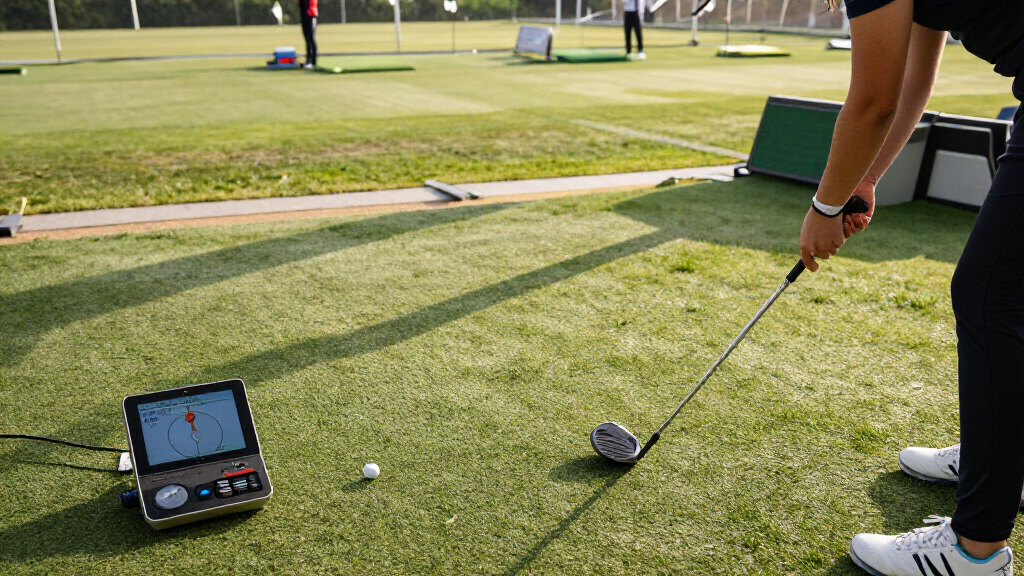
I ranked these electric golf launch monitors by how well they serve distinct buyer needs: portable range practice, indoor practice, swing feedback, and simulator play. I weighed the stated tracking approach and available metrics alongside setup demands, display and app usability, portability, included accessories, and the clarity of the product’s intended use. A device that returns useful feedback with little setup earns a different kind of value from a system built around a dedicated hitting bay.
The ranking favors versatile models that offer a useful balance of practice and play, then separates focused or premium options by the golfer they suit. I also considered the tradeoffs implied by the product descriptions: radar-based units may need more space and careful placement, while camera-led systems can be a better fit for indoor use but ask for a more deliberate setup. Where listings describe near-identical products with different included balls, I treat the package distinction as a buying detail rather than evidence of a different monitor.
Factors to Consider When Choosing Electric Golf Launch Monitors
Before choosing a launch monitor, I’d start with the way you will actually practice, not the longest feature list. The right unit depends on your hitting space, tolerance for setup, desired feedback, and whether simulation is a regular part of the plan.
Match the tracking system to your practice space
Radar and camera systems do not ask the same things of a room. Radar units generally need a clear relationship between the device, ball, and flight path, so a short indoor bay can constrain placement and readings. Camera-focused systems can suit indoor use, but they still need a clear view of the hitting area and sensible lighting. A common mistake is buying based on outdoor portability and only later measuring the indoor space. Measure both the ball-to-net distance and the room behind the ball, then check the manufacturer’s placement guidance. If you plan to practice in more than one location, portability may matter more than a small difference in available metrics.
Choose metrics you will use, not simply the biggest list
More numbers do not automatically create better practice. A golfer working on tempo or speed may get more from a clear, repeatable set of basic measurements than from a screen packed with data. Players shaping shots or checking ball flight may value added spin, launch, or club information, provided the device can capture it reliably in their setting. Think about the one decision you want the monitor to help you make after each shot. If you cannot explain how a metric will change your next swing or club choice, it may not justify added setup or expense. Make sure the model’s stated metrics apply to your intended indoor or outdoor use.
Account for software, memberships, and included content
A launch monitor can be a practice tool, a simulator hub, or both, and those roles often depend on software. Before buying, check which features work directly on the device, which require a phone or tablet, and which simulator courses or integrations need separate access. Product bundles can include a limited software period or specific balls, but that does not tell you the ongoing terms. A frequent buying mistake is comparing hardware while overlooking the software needed for the desired experience. List the apps, course access, and integrations you expect to use, then confirm compatibility and any recurring requirements. If you only want range feedback, paying for simulator capability you will rarely use may not make sense.
Plan for setup and repeatability
Reliable practice depends on repeating the same placement and hitting conditions. Some monitors are designed to sit behind the ball; others need a different position or a clearly defined hitting zone. Small alignment changes, clutter, or inconsistent lighting can affect the usefulness of readings, especially when moving between indoor and outdoor sessions. Before choosing, ask whether you are willing to position the unit and check alignment before every session. A simple display can reduce phone handling, while an app-centered model may offer more ways to review sessions. The best setup is the one you will use consistently, not the one with the most elaborate screen.
Decide whether portability or a permanent bay matters more
Portable monitors make sense for golfers who move between a range, home net, and different practice areas. A larger simulator-oriented unit can offer a more settled experience, but it may be less convenient to pack away or reposition. Consider storage, power, device stands, net placement, and whether other people share the practice space. Buyers sometimes focus on the monitor’s dimensions and forget that the full setup also includes a hitting mat, net or screen, and a compatible phone, tablet, or computer. If the system will live in one room, ease of integration may matter more than portability. If you travel with it, check what must be carried and how quickly the setup can be repeated.
Spend more only for a clear improvement in your use case
A premium monitor is easier to justify when its added tracking, indoor performance, or simulator features solve a specific problem. It is harder to justify when the extra capability will sit unused or when your practice goal is limited to basic speed and distance feedback. Compare the complete ownership picture, including required balls, software access, compatible devices, and any room changes needed. Do not treat a large metric count as proof that a product will fit your swing or practice habits. Beginners may benefit more from simple feedback and a clear practice routine than from advanced data. Experienced players building a dedicated bay may reasonably put more weight on detailed capture and simulator integration.
Frequently Asked Questions
Can I use a launch monitor indoors if I have limited room?
Possibly, but room depth and device placement matter as much as the monitor’s size. Radar-based units can need space behind the ball and a clear path for tracking, while camera-based models need a clear view of the hitting area. Check the specific placement distances for the model and measure the room before ordering. A net can help contain shots, but it does not replace the space needed for the monitor to read them. If your room is tight, prioritize a system whose documented setup fits your measurements rather than assuming any portable unit will work.
Do I need a phone or tablet to use these monitors?
Not every monitor depends on a separate device to the same degree. Some options pair with an app for session data or simulation, while others have a built-in display that can show basic feedback on the unit. Before choosing, check which functions remain available without a phone or tablet and whether the app works with your operating system. Also consider whether you want to review sessions on a larger screen or use a dedicated simulator display. If you prefer to keep your phone away while practicing, a built-in screen or simple standalone mode may matter more than extra app features.
Should I choose a monitor with simulator features if I mainly want swing feedback?
Only if you expect to use the simulator features often enough to justify their setup and software requirements. A practice-first monitor can be a more straightforward fit when your main goal is checking speed, carry, or consistency. Simulator-focused models can add course play and a more immersive home routine, but they may call for extra devices, space, accessories, or software access. Decide whether virtual rounds will change how often you practice or simply add features you rarely open. If you are unsure, prioritize the feedback you will use every session and treat simulation as a secondary benefit.
Are the two Rapsodo MLM2PRO listings different launch monitors?
The product names describe the same MLM2PRO monitor family, while the listings specify different included ball bundles: one names Chrome Tour balls and the other names premium RPT balls. That package difference can affect what you receive and which ball setup is intended for the advertised experience, but it does not by itself establish a different monitor. Check the exact listing for the included quantity, ball type, app or software terms, and any other bundle contents. Avoid comparing them as separate performance categories unless the manufacturer identifies a hardware difference. For most buyers, the better choice is the package that matches their ball preferences and setup needs.
What should I prioritize if this is my first launch monitor?
Start with a clear practice goal, then choose a monitor that is easy to position and understand. Beginners often get more value from repeatable feedback on a small set of useful measurements than from advanced data they do not yet know how to apply. Check that the device works in your available space and that its app or display is comfortable to use. Think through whether you will practice at home, at the range, or in both places, since that choice affects portability and tracking setup. A beginner-friendly purchase is one that supports a repeatable routine without making every session feel like a technical setup task.
Conclusion
For most golfers, I’d start with the Garmin Approach R10 as the best overall balance of portability, practice feedback, and simulation use. The PRGR HS 130-A is my best-value direction for golfers who want focused swing-speed and distance feedback without building a simulator setup, while the SkyTrak ST MAX is the best premium pick for a more dedicated indoor practice space. Beginners who want a direct, less elaborate starting point should compare the PRGR HS 130-A and Shot Scope LM1 against their preferred display and feedback style. For specific needs, choose the Bushnell Launch Pro or Garmin Approach R50 when a premium indoor simulator setup is the priority, and consider the Rapsodo MLM2PRO if its app-led practice and ball bundle fit your routine. The deciding factor is not the longest feature list; it is whether the monitor’s setup and feedback suit the place and purpose where you will use it.
Black Friday Picks

Therabody Theragun Mini 3rd Generation Percussive Massage Gun, Black
As an affiliate, we earn on qualifying purchases.